Gabriel Busto
blocksmith
i did a pretty comprehensive technical writeup you can find here. but at that time, i didn’t have plans to open source blocksmith… now that i’ve taken the first steps to doing so, i figured i’d explain more about how it works and how i got here. this will be more focused on model generation and not really dive into texturing yet.
table of contents
- background - a little background on myself and blocksmith
- voxel prototype - my first prototype to make 3d voxel models
- blocky prototype - my first prototype that generates proper blocky models
- animations - exploring animations early on
- switching to dsl - a new way to generate models
- improving the json schema - big improvement to the schema unlocked training potential and easier conversion between file types
- other topics - additional things to tough on
- evals - some evals i considered and why i didn’t end up using any
background
i don’t mean anything i say in a self-deprecating way, but i just want to ground things so you can understand where i was coming from and why i made the choices i did that led to the blocksmith version of today.
i started my career in computer security research, something i made happen through a lot of self-driven hard work in college. i have no conventional background in computer science/engineering, learned C as my first language for fun around ~2011, and slowly became interested in computer security. through a combination of luck and sheer force of will, i ended up meeting someone who had the coolest job i could think of at the time: computer security research (ie vulnerability research). i expressed my interest in working with him when i graduated college, and he gave me a resource to look into: the corelan exploit development blog post series. i devoured it and 6 months later, i graduated and landed an internship working with that guy.
it was hands down the best thing that could have happened to me. the job was mostly just open ended research. “here’s this thing, figure out how to find vulnerabilities in it. if/when you find one, figure out what you can do with it.” you just had to figure things out, this wasn’t a job that people were taught how to do. most of the people who worked there started out by doing things like hacking game clients for fun. but i think the mental model for how to succeed in a place like that laid a great foundation moving forward.
since then, i’ve had a wildly unconventional professional career but i’ve enjoyed pretty much every second of it.
fast forward to ~March 2025. i had been working on increasingly more complex AI projects that went beyond simple wrappers. but had never really done anything that i would consider even borderline “research”. i just didn’t have an understanding to even know what complex, but useful, problems were worth solving.
i accidentally stumbled onto the path that would lead to blocksmith when i started building a game using Hytopia’s SDK and platform. i realized there were NO ai tools for making 3d blocky-style models. and Meshy was the only tool i found that could generate voxel models (not quite the style that Hytopia and Minecraft want). so, having zero experience in 3d and having zero clue what i was getting myself into, i decided i wanted to build a 3d model generator for Hytopia developers. i thought it would be a great product with high earning potential, and that it would really benefit the Hytopia community specifically.
i had zero intention or desire to do any work in AI research, and i thought that because i had zero background in math and computer science, basically no experience with neural networks, and no phd, that i was excluded from that kind of work. so i didn’t even try. and to be clear, i wouldn’t consider anything i’ve done so far to be “hard” research - i haven’t come up with new model architectures or done anything major to shift the industry forward. but i do think what i did was unintuitive research that smarter minds than mine may have overlooked.
i think that lays the groundwork pretty well. and at this point, i have more confidence that i can do research, but maybe not deep algorithmic / math based research. i think there’s a lot of room for experimentation and research though that doesn’t require deep math for which builders like me are well suited. and not only that, but i actually found myself wanting to dive into tasks and work where i can learn about ai more deeply. i see myself as coming from the builder/product side and working “backwards” towards core research, as opposed to people who start with theoretical or mathematical backgrounds and work their way “forward” into research.
voxel prototype
in my previous blocksmith writeup of blocksmith (prior to me deciding to open source it), i talk about my early prototype. so i won’t cover it in too much depth.
but basically, with ~1 week after submitting my hytopia game for peter levels’ game jam on x, i came up with a way to build voxel models. i was still a bit confused between the idea of voxel vs blocky, but this started everything.
i approached it like a builder would and first looked for tools that would allow me to accomplish my goal(s) as quickly and easily as possible, and then build out whatever i needed to after that. i don’t remember all the ideas i had, but i eventually came to this idea:
- generate a 3d model somehow via api quickly and cheaply
- write a script to voxelize it
i thought about using Meshy’s API, but i wasn’t too clear on licensing if i wanted to turn this into a commercial product, and i thought it was “cheating” if just created a meshy wrapper. not only that, but their voxel generator was set to be deprecated in the near future so it wouldn’t have been a good idea to build on it anyways.
i eventually discovered that trellis on replicate was the fastest and cheapest option to generate a 3d model from an image (which i thought was better than prompting anyways), so i built out that chunk of the app. easy breezy.
next was the tough part. i mentioned in the background section above that i had ZERO exerpience in 3d. so i was fully reliant on ai to help me create a script to voxelize the output models. tl;dr:
- i found that gemini-2.5-pro was goated and made it possible for me to create the original script (although it was super messy and likely overcomplicated)
- this is really when i started working more with ai for coding and learned to act as a product manager trying to keep an engineer on track
- i still had to read and learn and absorb as much as i could so i could guide gemini better and help unblock it when it occasinally got stuck
so yeah once i had the idea, it took ~1 day to get the prototype working and i then created a little website for people to test it out. it’s actually still online! you can visit it at assethero.gbusto.com.
here’s a demo of that first prototype in action.
spent the day working on something to make my life easier for the @HYTOPIAgg game jam (and hopefully everyone else's)
— Gabe (@gabebusto) April 2, 2025
i spent hours last time trying to create custom models or find ones online i could use (in addition to audio stuff).
now it takes seconds. link below 👇 pic.twitter.com/SCQOT1siQw
after more improvements to fix the coloring, optimize the model more, etc, i realized that voxel is NOT what hytopia wants. so if i wanted to make a product for their developers, i needed to adapt. and that leads us to the next section.
blocky prototype
i was stumped. to take my current voxelization process and figure out how to make them “blocky” was a tall order. could i somehow segment the model and identify different parts, and then replace those parts with a single large block and re-construct the model that way?
i now know there is a way to segment models, but again, i think my naivete helped here
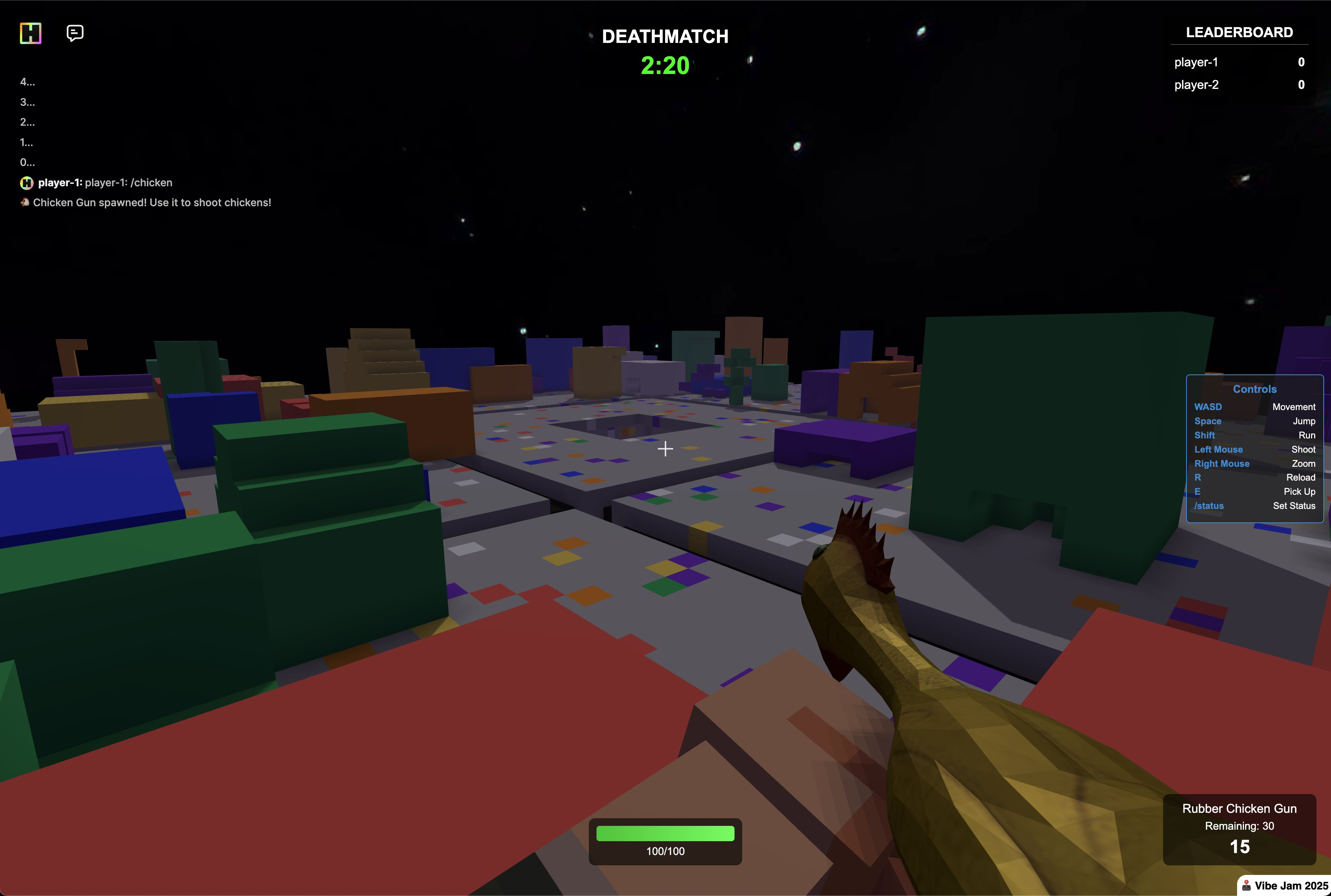
when i built my first hytopia game battle cube, i wanted a unique map. but i didn’t want to spend hours handcrafting it. so i tested all the major sota llms out, and found grok was by far the best at building scripts and reasoning about where to place blocks for what i wanted to create. it could one-shot most of my ideas. you can’t tell from this image alone, but it made my battle cube map for me which is like the bottom layer of a rubiks cube with a bunch of random structures on top to use for cover (including little nooks to hide in).
the hytopia map format looks something like this (straight from the sdk docs):
{
  "blockTypes": [
    {
      "id": 1,
      "name": "Bricks",
      "textureUri": "blocks/bricks.png"
    },
    {
      "id": 2,
      "name": "Bouncy Clay",
      "textureUri": "blocks/clay.png"
      "customColliderOptions": {
        "bounciness": 4
      }
    },
    {
      "id": 7,
      "name": "Grass",
      "textureUri": "blocks/grass"
    }
  ],
  "blocks": {
    "0,0,0": 2,
    "1,0,0": 2,
    "0,0,1": 2,
    "1,0,1": 2,
    "2,0,0": 7,
    "0,0,2": 7,
    "-2,0,-2": 7,
    "2,0,-2": 7,
  },
}
so this clued me into something. grok was great at writing a script that could one-shot create maps and place blocks EXACTLY where i needed them to be. would making blocky models REALLY be just as easy? could i ask it to somehow express cube/block size, position in 3d space, rotation, and color? so i worked with gemini to create a custom json schema we could use to test this out, with the goal of designing the schema such that it’s easy to convert to glb/gltf.
once it was created, i had gemini create a sample model using that json schema, then build the simplest possible script to translate it into a model file. then i copied the json schema into every major model (grok, gemini, chatgpt, and claude), and tested them all out. and IT ACTUALLY WORKED. they all did ~fairly well, but gemini stood out as being far better than the rest at sticking to the schema and reasoning about where to place blocks so the models look good.
update for assethero!
— Gabe (@gabebusto) April 9, 2025
these were all generated programmatically by AI with my new update:
1. a minecraft style person
2. a fish
3. a house
4. a rocket
in the second video, this was an example of the AI actually generating the person WITH AI-generated (subpar lol) textures… pic.twitter.com/sKe78K4Kde
to sum up what made this breakthrough really cool:
- true cuboid geometry that is super minimal and great for browser-based games, and is the blocky style hytopia is looking for
- models are no longer monolithic; it’s like putting together a bunch of legos
- ai can actually give each part a semantic name, and group things that should logically be grouped
- animating will be MUCH easier than i originally thought (but still challenging)
i could even color the different parts of the model! but this was super early for texturing. i was able to make consistent improvement and progress, but texturing would actually be MUCH harder than block structure (as i would find out in the coming months).
animations
this was a really exciting time, and it didn’t take long before i started yolo experimenting with animations. no real rigid guidelines or anything, we just updated the json schema to save animation track info in a way that was easy for the llm to specify, and again gemini surprised me. it one-shotted simple animations like raising a hand and waiving, a person walking, and even an alligator walking with a tail wag.
okay this is going to be super fun once it's online.
— Gabe (@gabebusto) April 21, 2025
"an alligator. simple walking animation to make it seem like it's walk as an alligator would. its tail should also move while walking." pic.twitter.com/JfMKpUCkrS
super cool. but i would quickly find out how complex animations are as well… there was a lot more to it than i realized. but it proved that we could get to a point where ai can fully generate a model, texture it, and animate it for you - all from a prompt (and/or image).
switching to dsl
from that point (~late April through mid June 2025), not a ton of progress was made on model structure quality. i did make a lot of progress re texturing, but i’ve written extensively about all that in my other blocksmith writeup.
around ~july of 2025, i was on a long roadtrip and had an epiphany.
for some reason, road trips put my mind in a state where great ideas just come to me; the bad thing is that i then become impatient because i must try out this new idea and see if it works.
i was spending quite a bit of money on gemini because JSON is super inefficient when it comes to tokens. it also limits the complexity of the kinds of models it can make. for example, if i wanted to have it make an 88-key grand piano, EACH KEY would need to be written out explicitly in json. how can i make it more token-efficient and open it up to make infinitely more complex models without exploding in token usage and cost?
so my grand epiphany: let’s make a simple pythonic dsl. i give it a super simple function signature for declaring a cube, and a group (that lets it group things logically), and it can use loops or whatever it needs to efficiently make what i’m asking for. even cooler, it can even leave some comments so i get an understanding of its reasoning and intentions.
so as soon as i got where i was going, i got to work and had gemini help me create a quick test. and to my shock, again, IT JUST WORKED. i asked it to make an 88-key grand piano, and it was able to do it!
the cool thing about long road trips is that you have a LOT of time to think.
— Gabe (@gabebusto) June 22, 2025
and in the car i came up with a better way to allow blocksmith to build models.
this is a full 88-key grand piano model.
this was not possible to do this morning, but will be possible soon! 🙌
this… pic.twitter.com/YzNpDtb4Ay
so to be clear, the flow is now:
[LLM -> DSL -> JSON -> GLB/GLTF/BBMODEL]
the dsl still gets translated (technically outputs) the json structure we need, and that can then get converted to gltf/glb (same as before). so we basically just added a layer on top of the json, and i found that this would save ~40%+ on token cost which is nuts. not only that, but it opened the door for making far cooler and more complex models!
🏎️ ⚔️ 🔫 🚁 pic.twitter.com/AdvwO5bzwZ
— Gabe (@gabebusto) June 25, 2025
oh, and one other cool benefit of using this pythonic dsl is that fine tuning a model should be easier since it’s just code.
improving the json schema
this is the point where i wanted to start messing more with fine tuning. but there’s a problem.. i want really good exemplar models to use for training. my app could output some pretty good models, but it’s synthetic data, and trying to use synthetically generated models only seemed like a bad idea.
not only that, but i needed to create a script that could reverse my json -> glb/gltf script so that we could go from gltf/glb -> json. with the current schema, this wasn’t possible. while i did try to start it out so that it could map to glb/gltf files ~easily, it was moreso optimized around making it easy and simple for llms to use. so trying create the reverse of that process was very hard with the current schema, which i was referring to as v2 at this point.
so now i needed to create a v3 schema from scratch with the goal of making it as trivial as possible to go from e.g. gltf -> json -> gltf, or dsl -> json -> gltf, or dsl -> json -> bbmodel. and most importantly, to enable gltf/glb -> json -> dsl. this was the key.
it took a few days, but we finally had a nice v3 schema and we could support all of the following flows:
- dsl -> json -> gltf/glb
- dsl -> json -> bbmodel
- dsl -> json -> bedrock
- bbmodel -> json -> dsl
- bbmodel -> json -> gltf/glb
- glb/gltf -> json -> bbmodel
- glb/gltf -> json -> dsl
- etc…
this was HUGE. it meant i could then find a bunch of 3d block models on a site like sketchfab and use them as training data.
i am very much aware that artists aren’t fans of generative ai, and sketchfab gives artists the option to disble download, specify a license, and even display a “No AI” banner type thing that says they don’t want you using their model for AI in any way. i respected ALL of these, and only pulled models that had a download button (no sketchfab ripping), that didn’t have the “No AI” banner, and that had a permissible license.
but this is when i would discover that, in terms of what you need for something supervised fine-tuning, i had essentially ZERO data. at most, i could probably ethically source ~600-1000 good quality models. and while that’s not nothing, it’s really not that much.
however, i wanted to give it a try anyways. so now i could actually find candidate models, and run them through a conversion pipeline to go from gltf -> json -> dsl. woo! this was my first foray into data and pipelines for training, and it was pain staking, tedious, and slow. i manually downloaded all the files i needed since trying to write a script to download only ~200-300 models probably would have taken longer to get working correctly.
side note: it was because of this data prep (and for my texturing fine tuning data prep) that i ended up building omniflow. it’s still very early on, but should be a huge help for data-related tasks
one major problem with my plan though is that the final dsl coming out of this reverse translation essentially looked like decompiled code, devoid of any structure, logic, or reasoning. just a bunch of cuboid( ... ) calls with seemingly random names (most models i found didn’t give their parts nice semantic names), seemingly random sizes, seemingly random rotations, and seemingly random positions.
oh, and i wanted to SFT an ~8b param model to learn how to how output good block models. intuition might tell you that, with only ~250-300 “good” examples, this wasn’t going to work. i was skeptical this would work even with the little intuition i had at the time, but my consultant (gemini and gpt) both told me this could absolutely work. while it would be easy for it to pick up on the syntax (which it did), trying to make sense of how and where and why it needed to place certain blocks in certain positions was going to be much harder to train. and it would be damn near impossible to train it to learn that from my crappy “decompiled” python dsl that, while it was technically correct, was essentially useless.
for those who are curious, the model i wanted to finetune is shapellm-omni - a full fine tune of qwen-2.5 vl 7b to understand 3d images better, accept point clouds as input, and also capable of outputting meshes. super cool little model!
i would need to do a TON of manual work to clean this up and get it to work. i would need to:
- go through each model and give EVERY part a nice semantic name
- de-dup nodes/mesh parts in the model and other weird artifacts
- translate them to my dsl and have gemini rewrite them entirely in more pythonic-looking code with some comments and reasoning trace to help distill this knowledge
- then re-run training using whatever the best method is for that
and it still might not even work. i would likely need many more examples, and find ways to augment the data in meaningful ways. so to this day, i haven’t moved away from essentially using a massive system prompt + gemini 2.5 pro. but i have hopes still to move beyond it and come up with a way to improve model structural quality.
at least what came from this was a lot of learning, actually self hosting a model and doing my own fine tuning run, testing out the fine tuned model, and seeing that it at least learned the syntax. also this new “hub” schema for converting between all kinds of different file formats is really neat, and would enable cool things like taking a free model, importing it / converting to bbmodel to modify it in blockbench (or convert it to the json or the python dsl and have ai edit it), and more cool stuff. i also just got a much deeper appreciation and understanding of what it takes to find and curate training data and all the different things you need to consider in order to ensure your training data is clean and good.
other topics
coming soon!
evals
coming soon!